
Más control, más velocidad.
Cash register
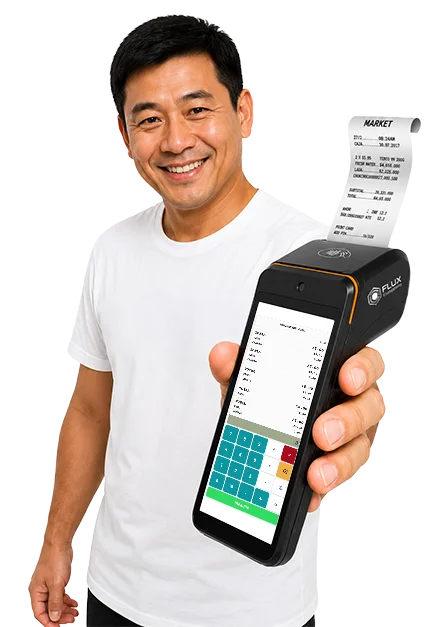
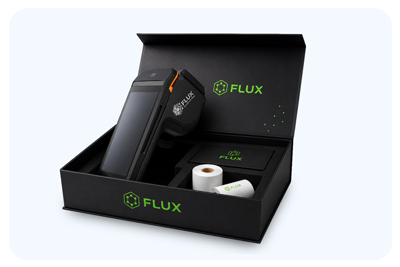
It has a 10-inch touchscreen, Octa-Core processor, and high-speed thermal printer to streamline every sale.
Its customer-facing display improves service and makes your business operations more efficient.

For your business
With FLUX, your business accepts payments, top-ups, and services your customers already need every day. You keep selling what you always have and earn a commission on every transaction. No investment and no complications.

Más control, más velocidad.
It has a 10-inch touchscreen, Octa-Core processor, and high-speed thermal printer to streamline every sale.
Its customer-facing display improves service and makes your business operations more efficient.

HASSLE-FREE PAYMENTS
Accepts cards, contactless payments, and QR codes. It also quickly prints receipts from a portable device.
With 4G, Wi-Fi, and a long-lasting battery, your business stays active throughout the day.
Get started in 3 steps
Add useful services for your neighborhood and earn a commission on every transaction. Your business will stay the same, but now it will earn more.
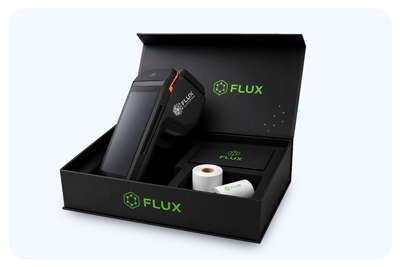
We provide the POS terminal, paper, and support. You pay nothing.
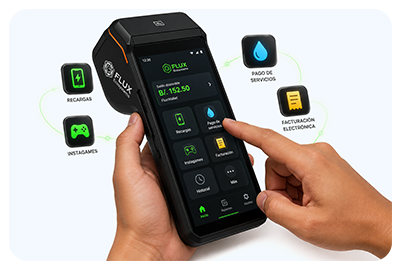
Access all services by topping up your FLUX Wallet.
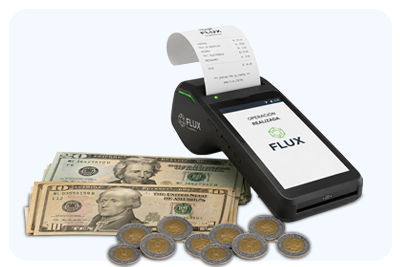
Every transaction you process earns you a commission between 1% and 20%.

They already came for the sumai...
Your neighbors already visit your business every day. With FLUX, in addition to shopping, they can pay their electricity bill, top up their mobile phone and prepaid electricity, and much more.
Many of your customers do not have bank accounts or use apps. Your business becomes the place where they handle their payments nearby and with someone they trust.




Services and benefits
Accept cards quickly and securely from the same POS terminal.
Mobile top-ups for all carriers, with no complications.
Payments with instant confirmation.
Roblox, Nintendo, Xbox, PlayStation, and games of chance with instant prizes.

Issue and manage your invoices from the same POS terminal.
Check your balance, transactions, and commissions in one place.
Calculate totals and print a receipt with promotions and offers.
Access products, offers, and suppliers through a platform designed for your business.
Commission estimate
Start earning commissions by offering services your customers already need.
Estimate your transactions
*This simulation is for reference only. Actual commissions may vary depending on the services activated and transaction volume.
Estimated monthly commission
Commissions may range between 1% and 20%.
Simple model
Zero cost, earnings per transaction.
FLUX provides the equipment, includes the paper, and supports you through WhatsApp. You operate from your business, and every approved transaction earns you a commission.
Frequently asked questions
Nothing. The POS terminal, paper, and support are on us.
Yes. It is fast, and you do not need prior experience.
Any business, pharmacy, laundromat, kiosk, or commercial establishment.
Yes. Your business becomes a hub for payments, top-ups, and entertainment.
Every transaction is recorded, and you can keep track of your earnings.
Every payment, top-up, or service earns you a commission. You can earn between 1% and 20%, depending on the service.
The POS terminal, paper, and direct support through WhatsApp.
Your customers top up their favorite games and platforms, and they can play and win instant prizes from the POS terminal.
No. Your business continues operating as usual. FLUX simply adds services to help you earn more.
Message us on WhatsApp at 6022-1429
What are you waiting for?
Turn your business into a hub for payments, top-ups, and services. No investment required.
For wholesale distributors
FLUX connects wholesale distributors with a network of businesses that place their orders directly from the POS terminal. Fewer calls, fewer messages, and fewer manual processes.
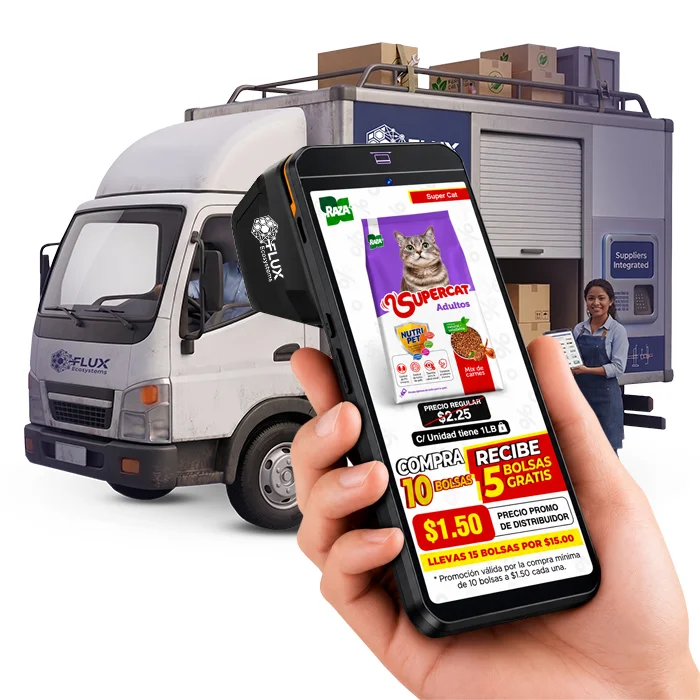
Illustrative interface example
Your advertising appears while the Flux terminal is idle. Showcase new products and promotions; with one tap, store owners can open the product in Marketplace to order it.
Scan to discover
the promotion
Illustrative interface · Sample QR, not scannable
Add promotions and a QR code to the bottom of the Flux calculator receipt. Reach consumers at the moment of purchase and see how many times your campaign is scanned.
Illustrative interface example
Your sales team finds the store, selects products and submits the order from a phone. You receive organized information using your existing customer codes.
Illustrative interface example
Update each order’s status so store owners can check it in My orders. Orders taken by your sales team and through Marketplace are kept in one place.
Products to stock the store
Illustrative interface example
Store owners can browse your catalog, view promotions and order from their terminal even when your sales representative is away. You keep your delivery route and collect payment on delivery.
Illustrative interface example
For an immediate-payment sale, the store owner pays from their terminal using their available Flux balance. The sales representative checks the receipt before handing over the goods.
Your questions answered
Not for order taking: your sales team can use the app across your customer base. AirTime, ticket advertising, Marketplace, tracking and Flux balance payments work in stores with a Flux terminal.
You keep your delivery route and payment on delivery. Flux balance is an option for immediate-payment sales.
Provide your catalog, prices and promotions in Excel. Receive orders by email at agreed times, with a link to view them and an Excel file to download.
Yes. Flux uses your customer codes to identify stores and return organized orders.
It is optional. Orders taken by your sales representative appear on the store owner’s Flux terminal without re-entry. Marketplace purchases and Flux balance payments are confirmed with the store owner’s password.
The Flux sales team will advise you based on the tools you want to add to your operations.
Take the next step
Discover how to add Flux tools to your wholesale business.
Contact
Message us on WhatsApp at 6022-1429 or email us at info@flux.pa